Start here: define the delivery level
If Miaoda has just generated a working page, do not connect real data or share it widely yet. First decide whether you need a prototype, an internal trial, or a public app.
Baidu’s documentation covers a chain that includes app creation, general tasks and Skills, publishing, updates and removal, backend services, source export, and billing. That does not mean every account or app has the same operating conditions.
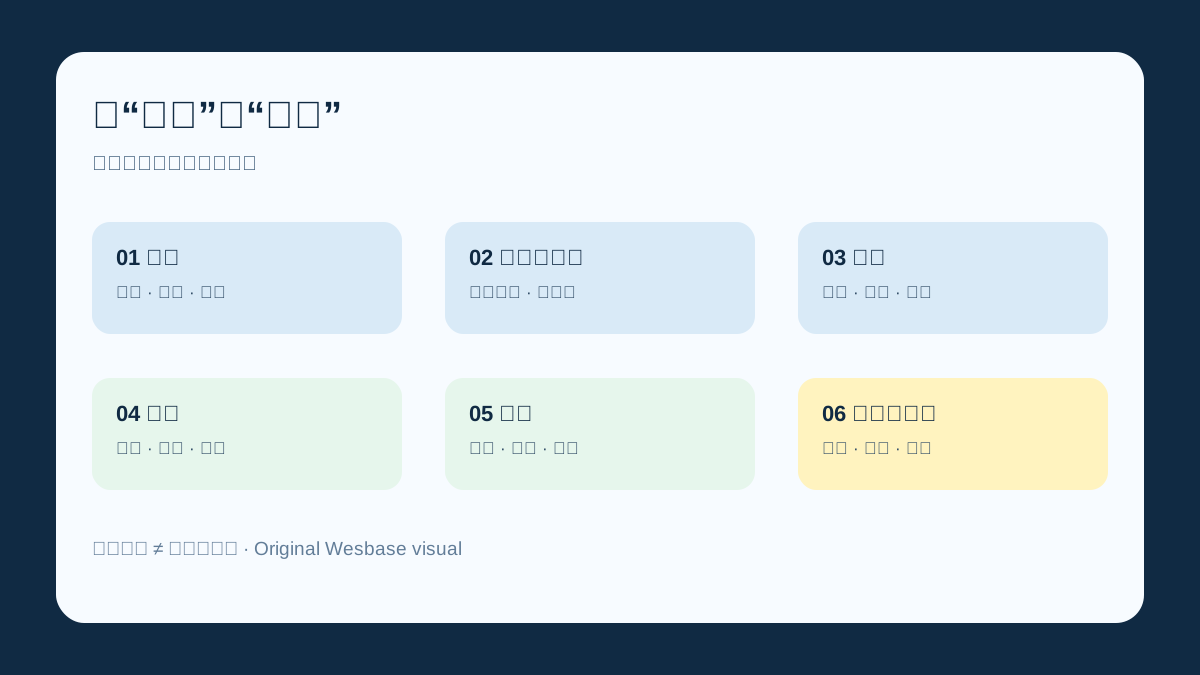
A working page proves only that part of the generation flow succeeded. Delivery requires the six checks below.
The six checks you can run today
1. Requirements: can you define input, output, and acceptance?
Miaoda’s creation flow lets a user submit a request and then clarify missing information. Its update log also describes a PM Agent that adds users and scenarios, page structure, business rules, exception handling, acceptance criteria, boundaries, and non-goals.
Before you ask the tool to build, write down:
- who will use the app and what the input is;
- what the output must contain;
- which errors must block submission;
- what the app explicitly will not do;
- which examples will determine that it is complete.
Without that baseline, publishing, permissions, and cost cannot be tested properly.
2. Data and permissions: start with synthetic data
Miaoda’s privacy policy covers items such as user instructions, uploaded text/images/audio/video, generated content, and service logs. It also lists permissions that third-party SDKs may involve, including location, camera, microphone, albums, storage, device status, and sensors.
That list does not mean every app uses every permission. Check instead:
- whether the app actually needs the data;
- who can view, change, and delete it;
- whether instructions, errors, or access details remain in logs;
- whether a third-party API, plugin, or Skill creates another data path.
Use fictional or redacted samples for the first acceptance run. Add real data only after the data flow and permissions are clear.
3. Publishing: confirm app type, channel, and lock timing
Baidu’s publishing documentation says an app can be published through conversation or a publish button. During publishing, page operations, content changes, and conversation are disabled; after success, the app is marked published and can be shared.
The web-app workflow describes public links, an official WeChat mini program, an app gallery, and a custom domain where configured. H5 apps can be published directly, while website apps may require a bound domain and filing.
Record three things before publishing:
- the edited version and the version you intend to publish;
- the target channel and its prerequisites;
- who handles a failed release or takedown.
A link is not the same thing as a release plan.
4. Backend: invitation-only capabilities are not defaults
The update log describes isolated development and production databases, backend configuration in the development environment, and database versions tied to app versions. It also clearly marks the backend service as invitation-only at that point.
That changes the decision:
- treat the app as a prototype or small internal trial until backend access is confirmed;
- confirm whether the current account can use storage, authentication, or long-running services;
- do not turn “the platform supports this” into “this account has it enabled.”
5. Maintenance: source export is not a no-maintenance license
Baidu’s source-export documentation says eligible launched apps can export most of their code, with a credit cost per download. Apps involving backend storage or third-party APIs may still require further development after export.
Before launch, ask:
- does the app depend on a backend or external API;
- who can read and change the exported code if something breaks;
- have you saved the requirements, data model, interface settings, and acceptance examples;
- how will you distinguish the online version from the edited version?
Source export is a backup step, not a complete disaster-recovery plan.
6. Cost: separate generation from ongoing operation
The official billing page was updated on July 16, 2026. It describes a subscription-plus-credit system. Credits can be used for conversation, publishing an app, enabling a backend, calling Skills, copying examples, and downloading source.
The page gives examples including 20 credits for publishing an app, 15 credits per app per day for a basic backend, and 30, 50, 75, or 100 credits per day for different backend sizes. Plans, allowances, and prices should be checked on the current purchase page.
Separate your estimate into:
- generation and debugging;
- publishing and backend activation;
- daily runtime, Skill calls, and source export.
If you enable a monthly subscription, also review auto-renewal and price-change terms. One generation’s cost is not the same as the application’s total cost of ownership.
When is public launch reasonable?
| Status | Reasonable use | Do not assume |
|---|---|---|
| Prototype | Test screens, flow, and output with fictional data | Sensitive data or stable service |
| Internal trial | Test permissions, errors, logs, and cost with a small group | Public distribution or ignored data ownership |
| Public launch | Confirm channels, permissions, data handling, updates, and cost | Unknown backend or rollback guarantees |
If the app involves a backend, real data, a third-party API, or long-running service, keep the scope at an internal trial while any critical invitation or access question remains unresolved.
What not to do
- Do not turn secondary claims about market share, efficiency, or accuracy into platform guarantees.
- Do not describe source export as “no development required.”
- Do not say every app uses all permissions listed in the privacy policy.
- Do not preserve a fixed price or permanent plan promise without checking the current billing page.
- Do not use real personal information as your first test dataset.
A minimal acceptance template
App name:
Target users:
Inputs and outputs:
Test examples:
Confirmed permissions:
Is data redacted:
Release channel and version:
Backend / third-party APIs:
Update and takedown owner:
Credits used:
Estimated daily cost:
Open questions:
FAQ
Miaoda’s value is not only turning a request into a page. It is also the possibility of moving part of an app workflow toward publishing. The closer the app gets to real users and real data, the less you can skip permissions, environments, versions, cost, and privacy checks.
Product and billing pages change. Reopen the relevant official documents before publishing and confirm the current account, plan, and backend eligibility. If important questions are still unanswered, keeping the app as a prototype or small internal trial is the more defensible delivery decision.
For a broader workflow backup method, see the task-agent backup checklist and the decision-trail approach for AI knowledge work.